Zürich, Mon 08 Jun 2026
Tiered Local Storage
The expansion to aerial and satellite imagery of the Mapterhorn project, which started as an aggregation of digital terrain models, comes with challenges around local storage. While the terrain pipeline ingests at the moment about 15 TiB of raw elevation data and outputs 10 TiB of aggregated terrain PMTiles, resulting in 25 TiB input + output, it is expected that with imagery this number will increase significantly and get into the 200+ TiB range. To accommodate for this new requirement we built a tiered local storage system discussed below.
Tiers
The pipeline runs at the moment on a single host with an AMD Ryzen 9 7950X processor with 32 threads. The main task of the parallel workers is to reproject GeoTIFFs to Web Mercator, merge sources, and encode the resulting tiles as WebP images. It is mandatory that the input GeoTIFFs are stored on SSD because the workers need fast random access. So the first storage tier is an SSD. The host has 3x Kingston FURY Renegade 4 TB M.2 NVMes but probably 1 would be enough as well. With the 32 threads the pipeline can process roughly 100 GiB of input data per hour. The read/write speed of the SSD is roughly 1.5 GiB/s.
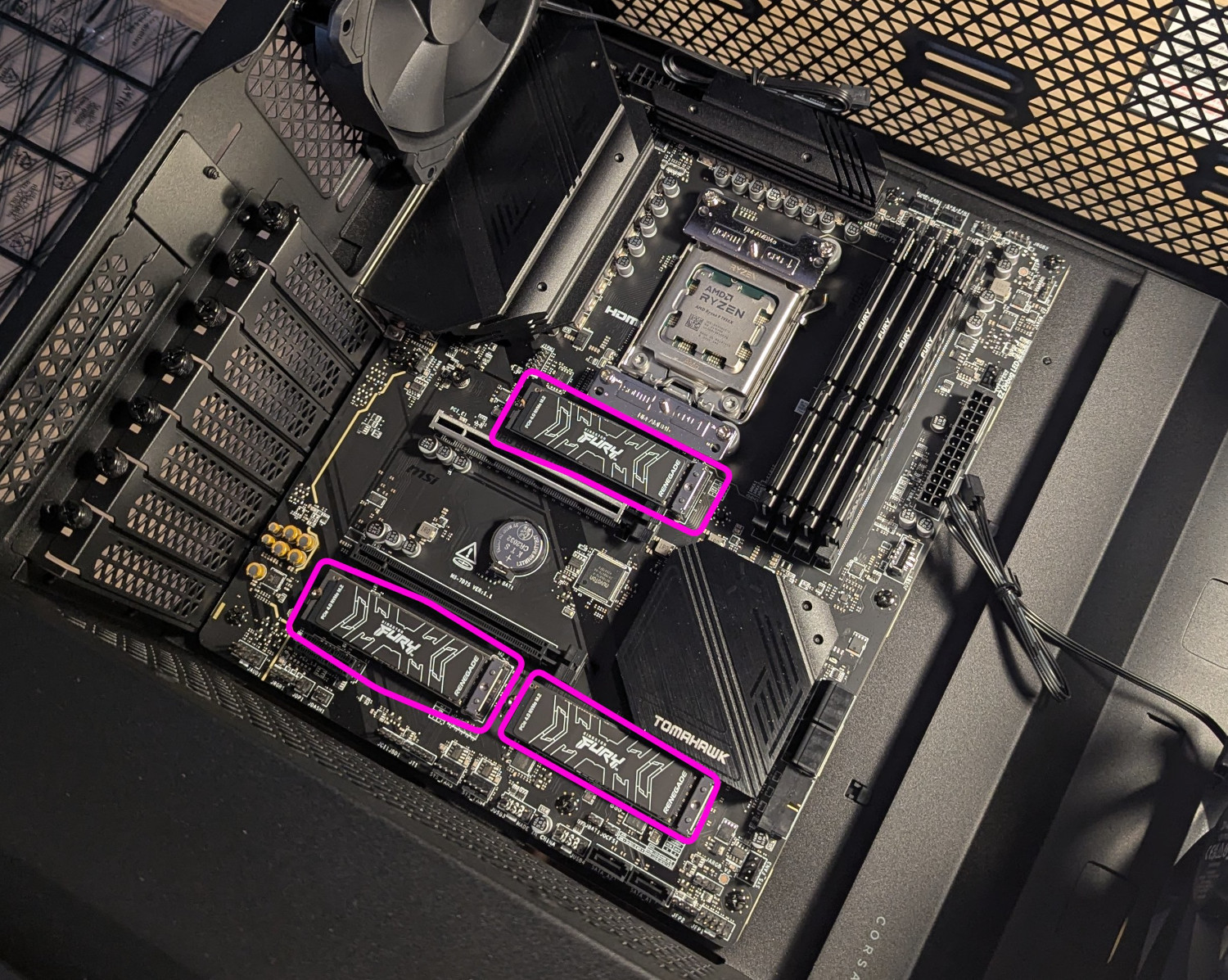 First storage tier: The three SSDs are mounted on the mainboard. Missing are still the CPU and SSD heatsinks.
The second storage tier consists of hard disks. They have the advantage over SSDs that they can store more data at a cheaper price per TiB. On the second-hand market you can buy used HDDs at around 10 CHF / TB. The disadvantage is that read and write rates are only around 150 to 250 MiB/s and they prefer sequential over random access. HDD read/write speed is a bit pedestrian compared to the SSD tier. But one can increase rates by working with multiple HDDs in parallel. The host's mainboard, an MSI B650, has 6 SATA onboard ports and on each we have an 18 TB disk attached, so 108 TB in total. Those 6 disks are combined to a single big drive with a software RAID0 using mdadam on Ubuntu. This config has no redundancy which is fine because this tier serves only as a larger cache for the first SSD tier. The read / write rates with this setup are typically around 1.3 GiB/s.
Second storage tier: This video shows how booting the computer sounds. The clacking sound of the HDDs always gives a heart-warming feeling.Finally, the third storage tier is again made of HDDs but they are not permanently attached to the host, they sit in a bucket on a shelf and are really just cold storage. It is all 3.5 inch drives with small labels on them hdd22, hdd23, u.s.w., and the host's /etc/fstab file has mount configs for each of those to specific folders in the file system like /hdd22, /hdd23 based on partition UUID. Mapterhorn source tarballs and bundle PMTiles files are symlinked in the cold-store/tar/ and cold-store/bundle/ folders to files on the cold hard disks, so the symlinks act as an inventory of what file is on which disk. A 10-bay Icy Box IB-3810 enclosure is used to attach the cold drives via USB-C to the host. That box has its own power supply, disks are front-mounted, hot-swappable, and each disk can be turned on and off individually. With enough disks in parallel the read/write rates also reach 1 GiB/s and more.
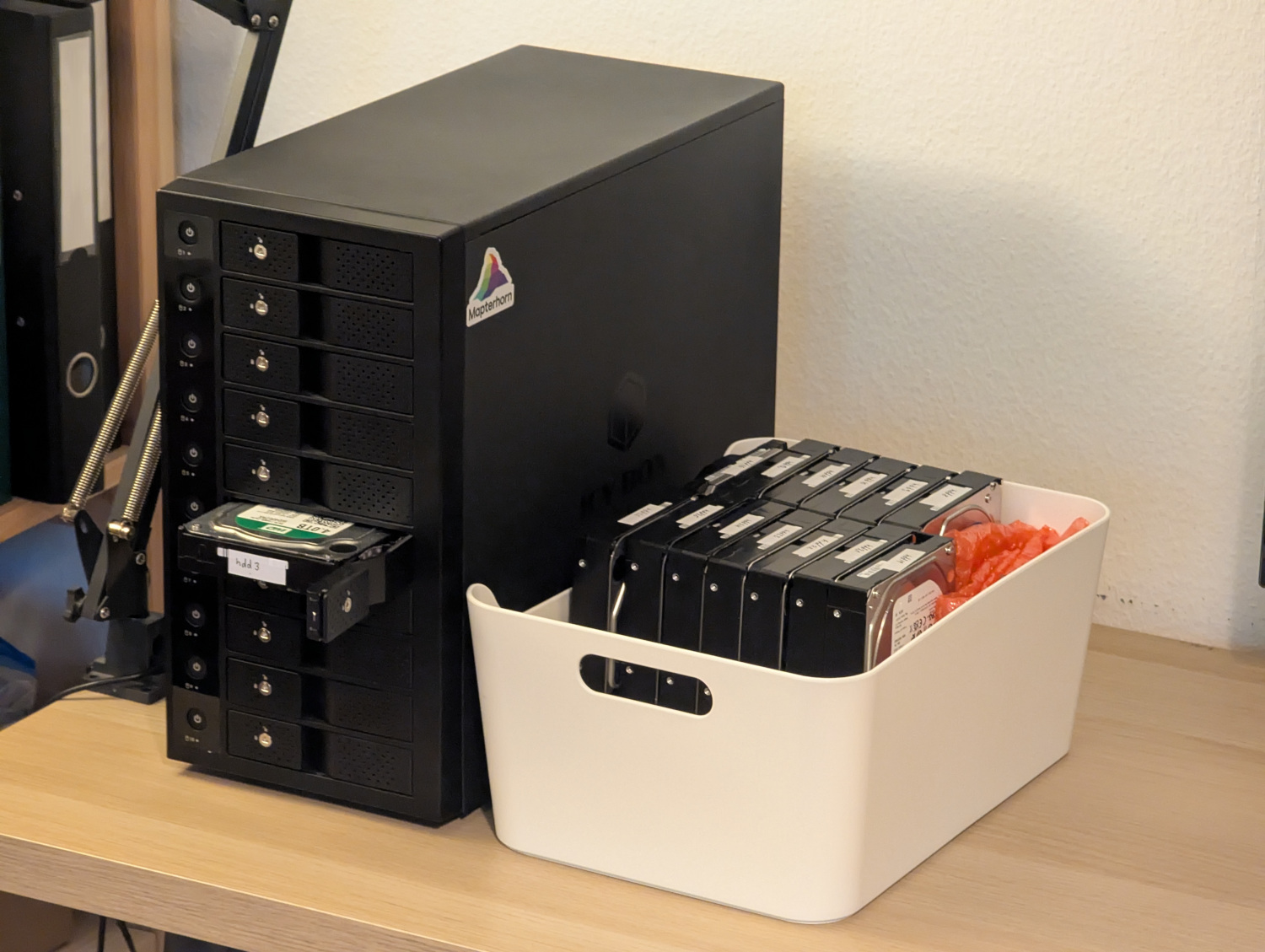 Third storage tier: The Mapterhorn cold storage bucket sits next to an Icy Box 10-bay USB-C enclosure.
Observations
Temperature management is an interesting topic around storage. Hard disks need a constant air flow to be cooled otherwise they will go to 50+ deg C. The host enclosure is a Fractal Define R5 with 8 HDD slots which sit behind two front fans. Initially, only one front fan was installed and the HDDs that did not have a direct fan in front of them got 15 to 20 deg C hotter than the ones which had.
While apparently high temperatures are bad for the mechanical wear of HDDs, no direct link could be seen to read and write rates. The situation is different with SSDs. There we saw that constant writing at full speed, which is roughly 1.5 GiB/s initially, the SSD temperature would increase from say 30 deg C to 80 deg C over the course of a few minutes. Then throttling would kick in and the write rate would drop to around 800 MiB/s. This happens even though the SSDs have heat sinks built on.
Another fun observation was the chunk size of the software RAID. In the 0 config, a file is split into chunks and chunks are written in a round-robin fashion to the disks of the array. Initially, we used a chunk size of 256 KiB but that resulted in slow write rates of only a few hundred MiB/s. And writing was accompanied by a really bad kgrrkrggrrgrkrggrk sound from the hard disks. The files that Mapterhorn stores on the second tier are typically 1 GiB and larger in size, so increasing the chunk size seemed like a natural choice. With 4 MiB chunk size the full write speed of around 1.3 GiB/s was eventually realized and the disturbing sound was gone.
Finally, PCIe lanes are a sparse good if you want multiple SSDs and HDDs and possibly also fast networking. It is worth checking the mainboard manual to see how exactly things are wired.
Why
You may ask "why care about storing all data locally?". This is a valid question, especially when the processing rate is only around 100 GiB/hour = 28 MiB/s which can be easily realized with gigabit internet, so cloud storage could be used. Probably the main answer is that it is just very enjoyable to have this data on physical drives. It feels very real. Another aspect is bandwidth. A hard disk just gives you 100+ MiB/s read access and you can put multiple in parallel.
Looking Forward
Looking forward into what comes next we will have to see how well this tiered local storage system works in practice with the Mapterhorn pipeline. It will be interesting to see where bottlenecks are. The second storage tier HDD cache will at least give some headroom to work with aerial imagery.
The processing speed of the pipeline is bound by the number of threads that do the work. Time consuming tasks include raster reprojection with GDAL and encoding images as WebP. It might therefore be interesting to explore in the future if adding a second host over a local network could help speed up the pipeline. Probably the main host could provide all the storage and the second host could get shared access to the SSD storage tier of the main host over ethernet.
At the moment, the size of the cold storage tier is around 100 TiB. Probably one can grow this at around 1'000 CHF / 100 TB to whatever size needed. At some point it could become interesting to work with tape storage, but the second-hand market for this is much smaller and some initial estimate was that for 1 PiB on tape you would need to pay around 5'000 CHF for the drive plus another 5'000 CHF for the media. This suggests that below 1 PiB it is better to work with used hard disks. But let's see. For now the HDD setup seems reasonably comfortable.